
Slia
The browser that
does your work,
keeps your secrets.
Get Slia
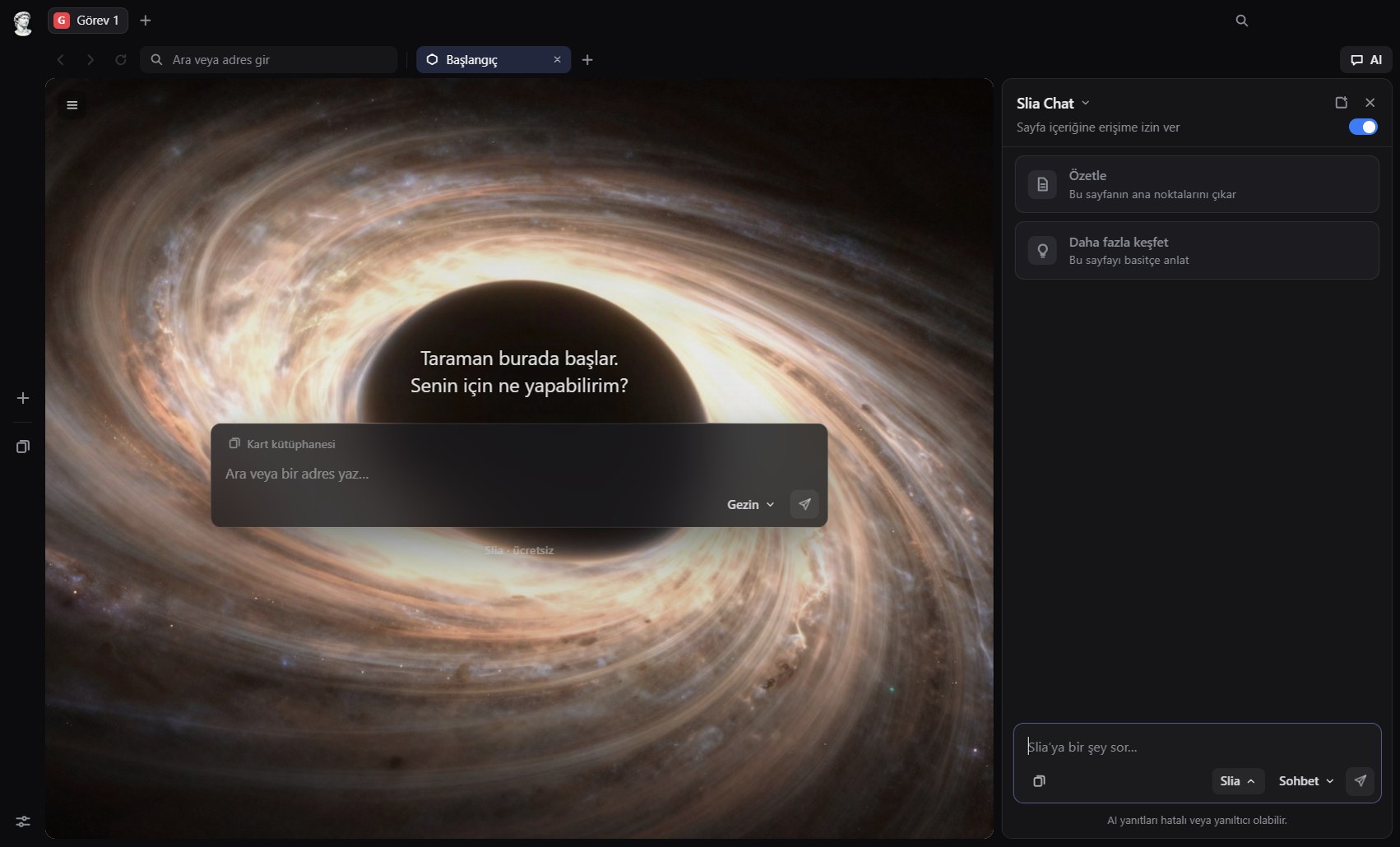 Browser agent
On-device AI
Sidebar panel
Chat with page
Prompt cards
No account
About Slia
Slia is a browser built to take action. It reads the page, navigates across your tabs, fills in forms, brings back the result—without ever asking who you are or telling anyone what you did.
Our emblem
Marble doesn’t talk.
Slia’s symbol is a classical marble statue. Standing in the middle of the library, it sees every book yet never repeats a single line. That is what a great browser should be: capable, calm, and discreet.
 Discreet by design
Ask, summarize, compare
Turn cluttered pages into a single clear answer.
Slia works right inside the page you’re viewing. It distills long articles into bullet points, turns options into comparison tables, and explains complex topics in plain language. Toggle page access on or off with a single click.
- Core idea in three bullet points
- Key figures and data
- Three follow-up questions worth asking
Tell, watch, receive
Give the task. Slia handles the rest.
In Agent mode, Slia operates the browser on your behalf. It searches, clicks, types, moves across tabs, and summarizes what it finds. You see every step in the side panel—pause or take back control whenever you want.
 Browser agent
Multi-step tasks
Start, step back, relax
Sip your tea. Slia is on it.
Kick off deep research and lean back. While Slia opens and reads pages, you can focus on your own work in another tab. Task workspaces keep your tabs and chats neatly separated—your summary is waiting when you return.
 Task workspaces
Privacy
Sees everything. Watches no one.
Most browsers want to profile you. Slia chooses not to know you: no sign-up, no behavioral tracking, and never selling your data.
 No account
Zero telemetry
On-device AI

- 01
No account required.
No email, phone number, or sign-up form. Install Slia and start browsing—it never asks who you are.
- 02
No telemetry, no ads.
Slia collects zero usage analytics and builds no ad profiles. There is no “you” stored on a server to measure.
- 03
Keep AI 100% on your device.
Pick a local model: your chats and the pages you read never leave your computer, and work completely offline.
- 04
An agent that knows its boundaries.
It never types passwords, card numbers, or verification codes on its own, and always asks before clicking any payment button.
- 05
Your data, cleared in one click.
History, cache, cookies, and site permissions live only on your machine—wipe any of them anytime from Settings.
When you use the cloud model, your prompt and the page text you share with AI are sent to the model provider to generate a response. We state this transparently on first launch and in Settings.
In the cloud or on your device
You decide where your AI runs.
| Slia | Cloud | No download, fastest responses |
|---|---|---|
| Qwen3.5 4B | On-device · 2.7 GB | Light agent, quick research |
| Granite 4.2 8B | On-device · 5.4 GB | Deep research & multi-step tasks |
| MiMo-V2.6 Distill 9B | On-device · 5.8 GB | Deep research & multi-step tasks |
| Qwen3.8 27B | On-device · 16.6 GB | Maximum local power for high-RAM PCs |
What you do stays with you.
Download for Windows (Setup Wizard)Slia-Setup-0.1.0.exe · Windows 10 / 11 · 64-bit · Free